After the galaxy generator, I decided to go perusing through my old 3D models to see if there was anything I could quickly throw into an example on here. I found an old (and honestly not great) model of a stone arch portal that I made a long time ago. It was originally the background for this site, before the redesign you're looking at now.
It's live below: drag to look around and scroll to zoom.
The scene
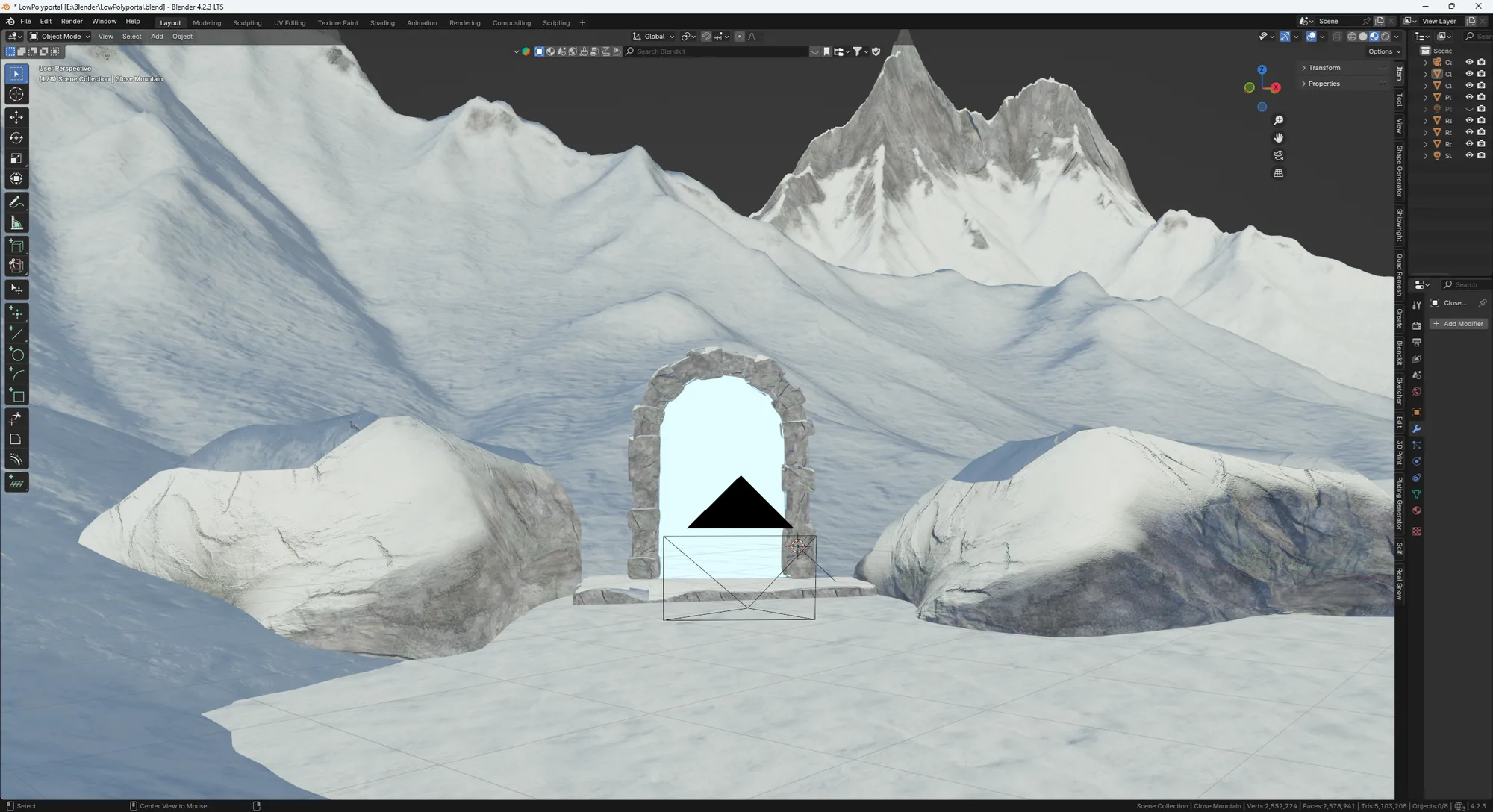
Only posting the model of the portal would've been pretty boring, and I wanted to set more of a scene. I decided on a snowy scene to give the environment more interesting features for what I thought would be a really small file. I was wrong about this.
The mountains started in Gaea: three mountain shapes combined, then run through erosion, thermal weathering and a snowfield simulation. I exported the result as a heightmap and used it to displace a plane in Blender. The arch and the boulders were modeled in Blender. In the material, snow settles on the surfaces that face up and rock shows through on the steep ones.
Getting it out of Blender
The first export was a 45 MB file. That's far too big for a page most people will open on their phone, and most of what was in it was wrong for the web anyway:
- Flat mountains. The mountains came out as 72-triangle planes. The displacement lived in modifiers that weren't applied on export.
- 1.6 million triangles of snow. The snow caps on the boulders were far denser than the rocks under them.
- The wrong textures. Blender's exporter can't read a node setup that mixes two materials, so it grabbed whichever image it found first. The rock ended up with the snow's ambient occlusion map as its color.
Fixing it took a few rounds:
- Decimate the terrain and apply the modifiers.
- Make the duplicate mountains and rocks linked copies, so the file stores each shape once.
- Export no materials at all, since the look gets rebuilt in the browser anyway.
- Turn on Draco compression for the geometry.
The file went from 45 MB to 0.69 MB.
Rebuilding the look in the browser
Everything you see beyond the shapes is made in the browser:
- Snow and rock. A shader puts snow on surfaces that face up and rock on steep ones, with noise breaking up the line, which is the same idea as the Blender material. The textures are projected from three sides, so nothing needs UVs and nothing stretches down the cliffs.
- The portal. A swirl shader that's brighter than anything else in the scene, so it's the only thing that blooms. A light inside it throws cyan onto the snow and the rocks.
- The sky and the snow. A gradient night sky with twinkling stars, and 7,700 snowflakes that fall and drift entirely on the graphics card.
- The camera. It can only swing about 30° from the starting view, which keeps the unfinished edges of the scene out of sight.
How it was made
I built the scene in Gaea and Blender. Claude did a lot of the heavy lifting porting it to the browser. For more than a concept, I'd want to be much more hands-on with the shaders. But this was a learning exercise: building a pipeline for taking a scene out of Blender and rebuilding it, optimized, for the web. It's nowhere near the quality I'm aiming for, but my goal was to design a scene in Blender from start to finish and get it running on the web.
Mission accomplished.